
Why this matters — the problems that make projects stall
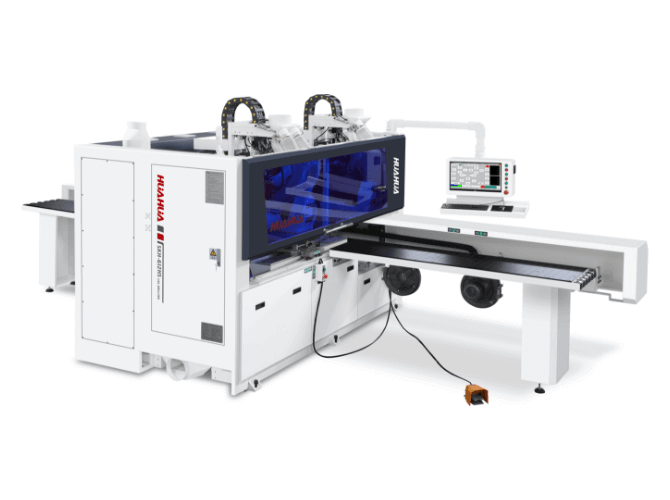
You’re trying to build a clean cabinet or a set of chairs, but parts don’t fit, edges chip, or your prototype needs five passes to get a decent finish. Those are system problems, not just sloppy technique. A lot comes down to the machine: stiffness, spindle behavior, control software, and how the parts are held. If you’re checking options, start by looking at an actual cnc woodworking machine and where it’s used — think about how machines perform in Guangzhou’s furniture manufacturing districts, where volume and precision collide daily. That real setting shows what breaks first and what fixes actually hold up under steady production.

Common failure points and quick fixes
Bad tolerances: tighten the gantry, check backlash and belt tension, and use proper endmill geometry. Tool wear: log tool life and inspect cutters after critical runs. Poor part hold-down: switch to modular fixtures or vacuum plates and test cuts with scrap. Software mismatch: insist on CAM post-processors that output clean G-code for the controller. Downtime from parts shortages: pick systems with local support and spare-part stock. These are problems you’ll hit early; treating them as expected makes them fixable instead of project-stopping.
How to evaluate a machine — straightforward tech checks
Look for rigidity over fancy bells. Check spindle torque so you can cut hardwood without chatter. Ask for specs on repeatability (mm-level numbers, not marketing fluff) and see a sample cut. Confirm what controller it uses and whether your CAD/CAM exports cleanly to it. Find out spindle speeds, available tool changers, and standard workholding options. Push the vendor: request a demo cut of your typical material and parts. If they refuse, that’s a red flag.
Alternatives and trade-offs that actually matter
Gantry 3-axis routers are great for panel work and nesting — low cost, high throughput. Small 5-axis machines handle complex parts and reduce manual finishing but cost more and need skilled operators. Hybrid machines (drilling + routing) shrink handling time but add mechanical complexity. Choose based on the problems you need solved: is it volume and flat panels, or sculpted components and tight joints? Don’t pick a machine because it looks impressive; pick one because it matches the failure modes you want to eliminate.
Typical mistakes students and small shops make
Buying by price only. Ignoring dust extraction and tool management. Skipping operator training. Overlooking spare parts and how fast they ship. Accepting test cuts that aren’t done with the same feed rates or tooling you’ll run in production. These mistakes aren’t mysterious — they’re predictable. Avoid them by testing real workflows before signing on a machine.

Experience and trust signals that matter
I’ve spent time running prototype jobs and training shop teams, and the same patterns repeat: machines that come with clear service paths and field-trained techs save weeks when problems pop up. Look for a vendor that provides operator coaching, has documented maintenance schedules, and will run your exact job on their floor before you buy. Those steps are the difference between occasional fixes and sustained output.
Synthesis — how to solve the core problem without hype
Stop treating CNC choice like a checklist and start treating it like fixing the things that break your builds: stiffness, tooling, control compatibility, and support. Test a machine with your parts, demand clear service plans, and prioritize designs that reduce rework. That practical focus is what you’ll actually get from outfits that back machines with field service and real demo runs, the kind of practical balance you see built into HUAHUA CNC offerings and service.